A trail camera that produces nothing at all has a different set of causes than one that fails only at night. This page covers the first case: you collect the card or open the app, and there is nothing there.
Work down the list in order. It is arranged by how often each cause is actually responsible, which is not the same as how likely it seems.
Confirm the camera is armed, not just switched on
Most trail cameras have three positions: off, setup, and on. Setup mode lets you change settings and see the display — and does not take photos. It is extremely easy to finish configuring a camera, walk away, and leave it in setup.
Many cameras also have a delay of several seconds to a minute after arming before they become active, so an immediate walk-past proves nothing.
Check: the switch is fully in the on or arm position, the indicator light blinked its arming sequence, and the latch is closed. Some models will not arm with the housing open.
Replace the batteries, and use lithium
The second most common cause, and the most commonly misdiagnosed, because a camera with weak batteries can still power on and show a display.
- Fit a complete set of fresh cells. Never mix old with new, or brands, or chemistries — the pack performs to its weakest cell.
- Use lithium rather than alkaline. Alkaline voltage sags progressively and far faster in cold. Lithium holds voltage nearly flat until nearly exhausted.
- Rechargeable NiMH cells supply 1.2V against alkaline’s 1.5V. Some cameras tolerate this; many behave erratically on them.
- Check the contacts inside the battery bay for corrosion and clean them if there is any green or white residue.
If the camera has an external battery or solar connection, disconnect it and test on internal cells alone — a failed external supply can prevent the camera drawing from its own batteries.
Format the SD card in the camera
Card faults are the third common cause and produce a wide range of symptoms, including nothing at all.
- Format in the camera, not on a computer. Camera-side formatting writes the exact file system the camera expects.
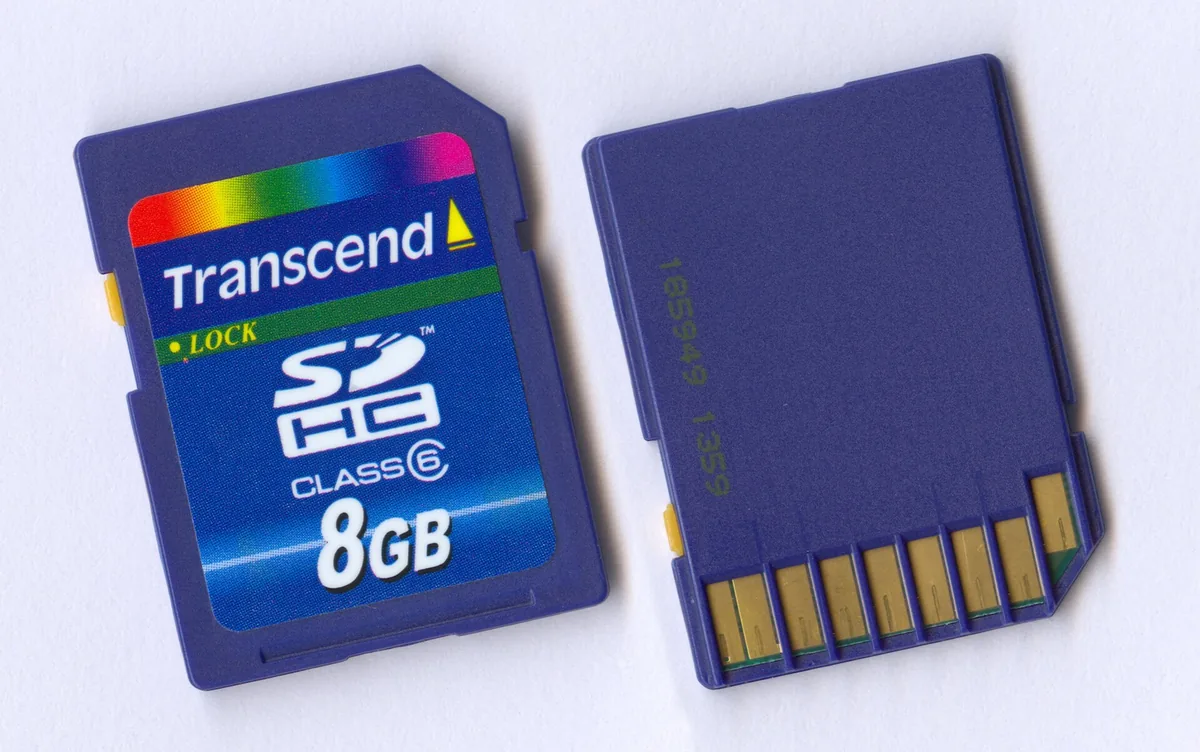
- Check the physical write-protect switch on the side of a full-size SD card. If it is in the locked position the camera cannot write, and many cameras do not warn you clearly.
- Confirm the card capacity is within the camera’s supported maximum. Exceeding it causes intermittent, hard-to-trace failures.
- Check the card is not full. Some cameras stop; others overwrite.
- Try a different card. Cards fail gradually, and often partially, before they fail completely.
Check the settings that silently prevent photos
Several ordinary settings will produce an empty card without anything being broken.
- Time-lapse or plot mode. Some modes only shoot on a schedule and ignore the motion sensor entirely.
- A scheduled operating window. If the camera is set to run only between certain hours, it will ignore everything outside them. Check the clock and date are correct too — a wrong clock applies the schedule at the wrong times.
- Sensitivity set too low. In warm weather a low setting can miss animals entirely, because detection depends on the difference between body heat and background.
- A very long delay interval set during testing and forgotten.
- If the configuration is unclear, do a factory reset and set it up deliberately.
Consider whether the camera is detecting but not triggering in time
If you occasionally get photos of empty trail, the camera is working — it is arriving late.
Two causes. First, trigger speed: the delay between detection and capture, during which the animal keeps moving. Second, and more fixable, geometry.
Passive infrared sensors detect heat moving across their field far better than heat moving toward them. A camera aimed straight down a trail gives an approaching animal almost no lateral movement to detect, so it triggers late — often after the animal has left the frame.
Reposition at roughly 45 degrees to the direction of travel. The animal crosses the detection zone instead of walking down it, the sensor picks it up sooner, and the delay matters much less.
Rule out placement problems
- Nothing is passing. Unwelcome, but common. Before assuming a fault, move the camera to a known-active spot for a week.
- The subject is beyond detection range. Advertised range assumes favorable conditions and shortens considerably in warm weather, when animal and background temperatures converge. TrailCamPro, who have tested trail cameras since 2003, note that detection range “could be substantially greater on a 32 degree winter day compared to a 90 degree summer day.”
- The sensor window is obstructed or dirty. The detection window is separate from the lens. Clean both.
- The camera faces east or west. Direct sun causes both washed-out frames and erratic triggering.
If it is a cellular camera and the app shows nothing
Separate the two failures before troubleshooting further: pull the SD card and look at it.
Photos on the card but nothing in the app means the camera is fine and the problem is transmission — signal, an inactive plan, an exhausted photo allowance, or an account issue. A cellular camera with no signal keeps working as an ordinary trail camera and queues images for later delivery.
Nothing on the card either means it is a capture problem, and everything above this section applies.
When the camera is genuinely faulty
If fresh lithium cells, a freshly formatted card, a factory reset and a repositioned mount all produce nothing, look for water ingress. Open the housing and check for moisture, corrosion on the contacts, or a saturated desiccant pack. Water damage is the most common terminal fault on trail cameras, and it frequently follows a cracked seal or a housing that was not latched properly.
Check the warranty before opening anything further. On budget cameras a failed board is rarely economic to repair.
Common questions about a trail camera not taking pictures
Why is my trail camera not taking any photos at all?
Most often it is in setup mode rather than armed, or the batteries lack the voltage to operate reliably. Check both before anything else.
Why does my trail camera take pictures with no animal in them?
Either vegetation moving in front of the lens, or the camera triggering late because it is aimed straight down the trail. Clear the foreground and reposition at about 45 degrees.
Can a bad SD card stop a trail camera working?
Yes, and it is common. Format in the camera, check the write-protect switch, confirm the capacity is supported, and try a different card.
Do trail cameras stop working in hot weather?
Detection becomes less reliable, because PIR sensors work on the difference between body heat and background. In hot conditions that difference narrows and effective range drops.
My camera worked last season and now takes nothing. What changed?
Most likely batteries, a degrading SD card, or moisture that entered over storage. Check for corrosion in the battery bay and moisture inside the housing.