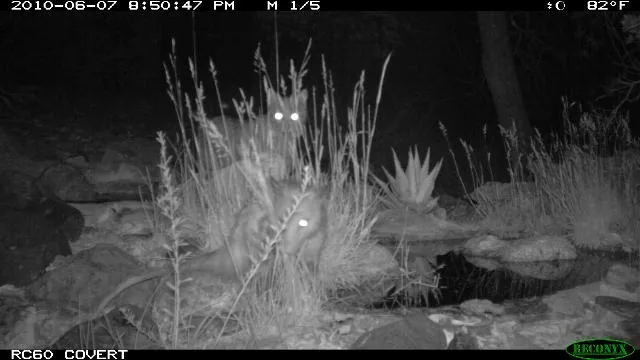
A WiFi trail camera sends photos to your phone over a local wireless connection instead of a mobile network. That one difference removes the data plan entirely — and on a cellular camera the plan frequently costs more across three seasons than the camera did.
It also introduces a hard constraint: the camera has to be within range of a network, or of its own hotspot. Get that constraint right and WiFi is the best-value option in this category. Get it wrong and you have bought a camera you still have to walk out to.
Reliability Scores publish with each full review. Every specification below is manufacturer-claimed and has not been independently verified — see how we research and rate.
The two kinds of WiFi trail camera, and why the difference matters
These get sold under the same label and behave completely differently.
Local network cameras
The camera joins your existing WiFi — house, cabin, barn, workshop — and uploads to an app whenever it has a connection. You can check it from anywhere, because the images have already left the camera and reached the internet.
This is the arrangement most people picture, and it is the one that genuinely replaces a cellular camera. It requires usable network signal at the camera’s location, which in practice means somewhere on a property with a building on it.
Direct-connect (hotspot) cameras
The camera broadcasts its own WiFi signal. You walk to within range, connect your phone to the camera directly, and pull images across.
This does not let you check the camera remotely. What it saves you is opening the housing, removing the card, and carrying it to a computer — a real convenience, but a much smaller one, and it is frequently marketed in language that blurs the distinction.
Before buying, establish which one you are looking at. “WiFi trail camera” describes both, and the gap between them is the difference between checking a camera from another state and standing in front of it in the rain.
Who should buy a WiFi trail camera
It is the right choice when the camera sits within network range and you want no recurring cost. A camera on a barn, over a driveway, watching a back field within reach of the house router, or at a cabin — these are the cases where WiFi does everything a cellular camera does and costs nothing to run.
It is also the right answer for anyone whose main complaint about cellular cameras is the subscription. TrailCamPro’s own data-plans page opens by telling readers to consider WiFi if their camera is close enough, which is a notable thing for a retailer of cellular cameras and their plans to lead with.
It is the wrong choice for genuinely remote land. No network, no upload. A direct-connect model still saves you handling the card, but if the camera is an hour’s drive away you are buying the wrong category and should be comparing cellular options on total cost of ownership instead.
What to check before buying a WiFi trail camera
- Range, honestly assessed. Manufacturer WiFi range figures assume open ground. Walls, trees, and wet foliage all cut it substantially. Test with a phone at the intended spot before committing.
- 2.4GHz support. Nearly all of these cameras use 2.4GHz, which travels further through obstructions than 5GHz. If your router runs a combined network, confirm the camera can find it.
- Whether it uploads automatically or only on demand. An automatic uploader is a genuine remote camera. An on-demand one still requires you to initiate the transfer.
- Battery cost of the radio. WiFi draws less power than cellular, but more than nothing. A camera uploading constantly over a weak connection drains faster.
- Whether there is an account or app requirement, and whether any cloud storage tier costs money — some “no monthly fee” cameras have a paid storage tier behind the free one.
- Flash type. No-glow is invisible but delivers shorter effective range and grainier images than low-glow at the same power. That is a design trade, not a defect.
Cameras we’re evaluating first for this category
These are the models our research shortlisted. None has been scored yet, and the specifications shown are the manufacturers’ own.
GardePro E8
Repeatedly surfaced as the default recommendation for buyers who want images on a phone without any subscription. Pulls over local WiFi and Bluetooth. The most commonly cited pick in the no-monthly-fee category, which is why it heads our list.
Claimed: WiFi and Bluetooth transfer, no data plan. Reliability Score: not yet rated.
GardePro T6LRW
Named overall winner of TrailCamPro’s 2026 flash range shootout — one of the few independently determined results available in this category, and the reason this model is on the list. It is a long-range WiFi model aimed at exactly the gap between local-network and cellular.
Independently determined: flash range shootout winner, 2026, per TrailCamPro. Reliability Score: not yet rated.
Voopeak and Wosports solar WiFi models
Both brands appear consistently in the no-subscription WiFi segment with solar-equipped models. Both are also manufacturers who publish their own comparison content, so their claims warrant more scrutiny than most, not less.
Reliability Score: not yet rated.
WiFi versus cellular: the decision in one paragraph
If the camera will sit within reach of a network you control, buy WiFi and keep the running cost at zero. If it will sit somewhere with no network but with mobile signal, buy cellular and budget the plan across three years before you compare hardware prices. If it has neither, buy a plain SD-card camera and accept that you will walk in to collect the images — which is what a no-signal cellular camera makes you do anyway, at additional expense.
Common questions about WiFi trail cameras
Do WiFi trail cameras need a monthly subscription?
No. That is the central advantage. Check whether the manufacturer offers a paid cloud storage tier, but the transfer itself carries no recurring cost.
Can I check a WiFi trail camera from anywhere?
Only if it connects to a local network with internet access. A direct-connect camera that broadcasts its own hotspot requires you to be physically within range.
How far will a WiFi trail camera reach?
Less than advertised, in most real placements. Published figures assume clear line of sight; trees, walls and wet foliage all reduce it. Test at the actual location before buying.
Is a WiFi trail camera better than a cellular one?
Better where a network exists, because it does the same job with no running cost. Worse where none does, because it cannot deliver images at all.
Do WiFi trail cameras still use an SD card?
Yes. The card holds the full-resolution originals; the transfer is usually a compressed copy.